ComfyUI node set
A layer editor that runs inside ComfyUI
The edit loop was in the wrong app.
A layered image editor that runs inside ComfyUI. Built solo, with AI assistance. 183 stars on GitHub, MIT licensed.
Install
- Clone or copy this folder into
ComfyUI/custom_nodes/comfy_canvas. - Restart ComfyUI.
- Add
Comfy Canvasto your graph. - Optionally add
Comfy Canvas Outputso the right pane shows the latest result from the workflow.
No separate server, no second browser tab, no CDN. The frontend is self-contained in the repo, including a vendored PIXI runtime.
Two nodes, one session
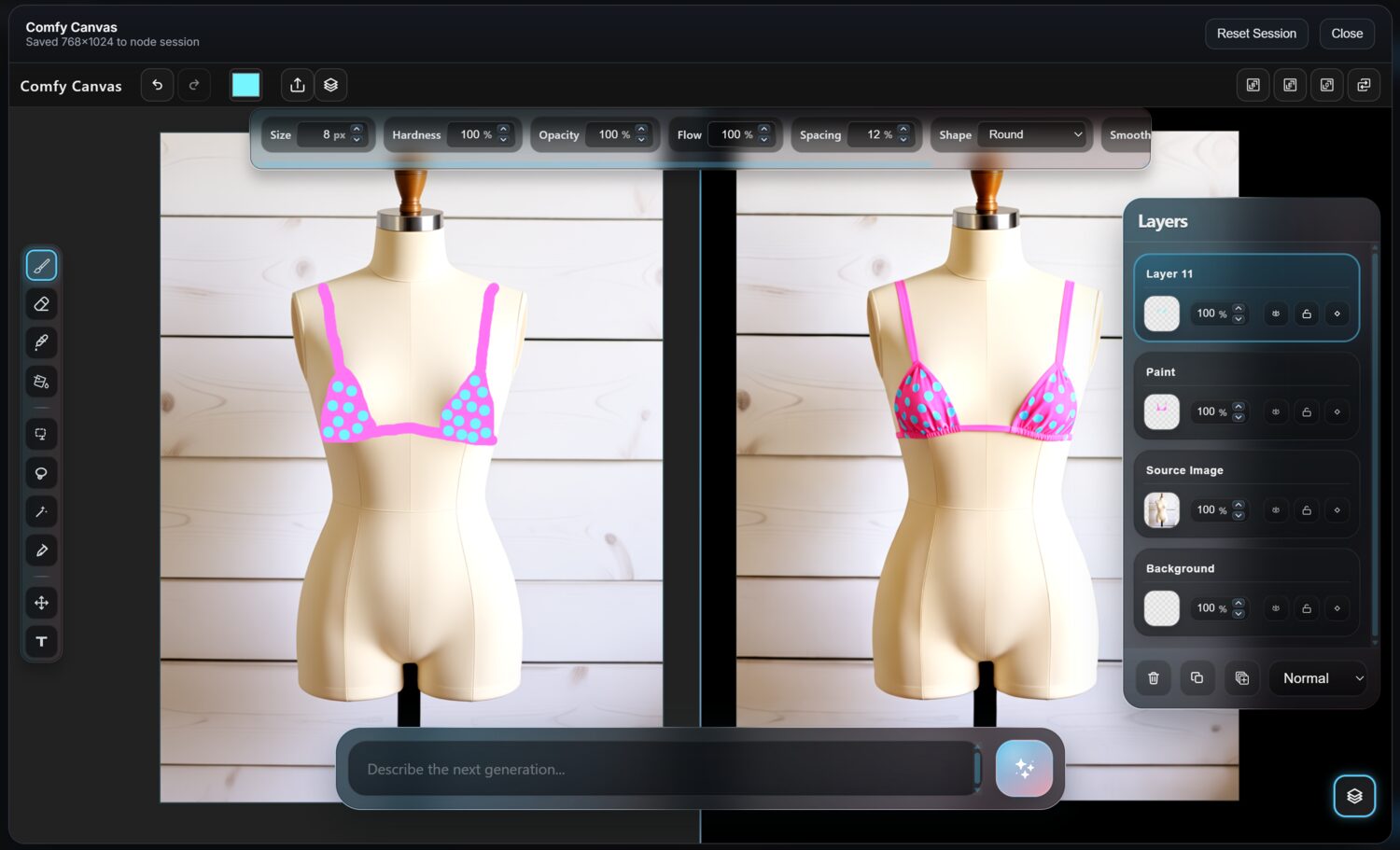
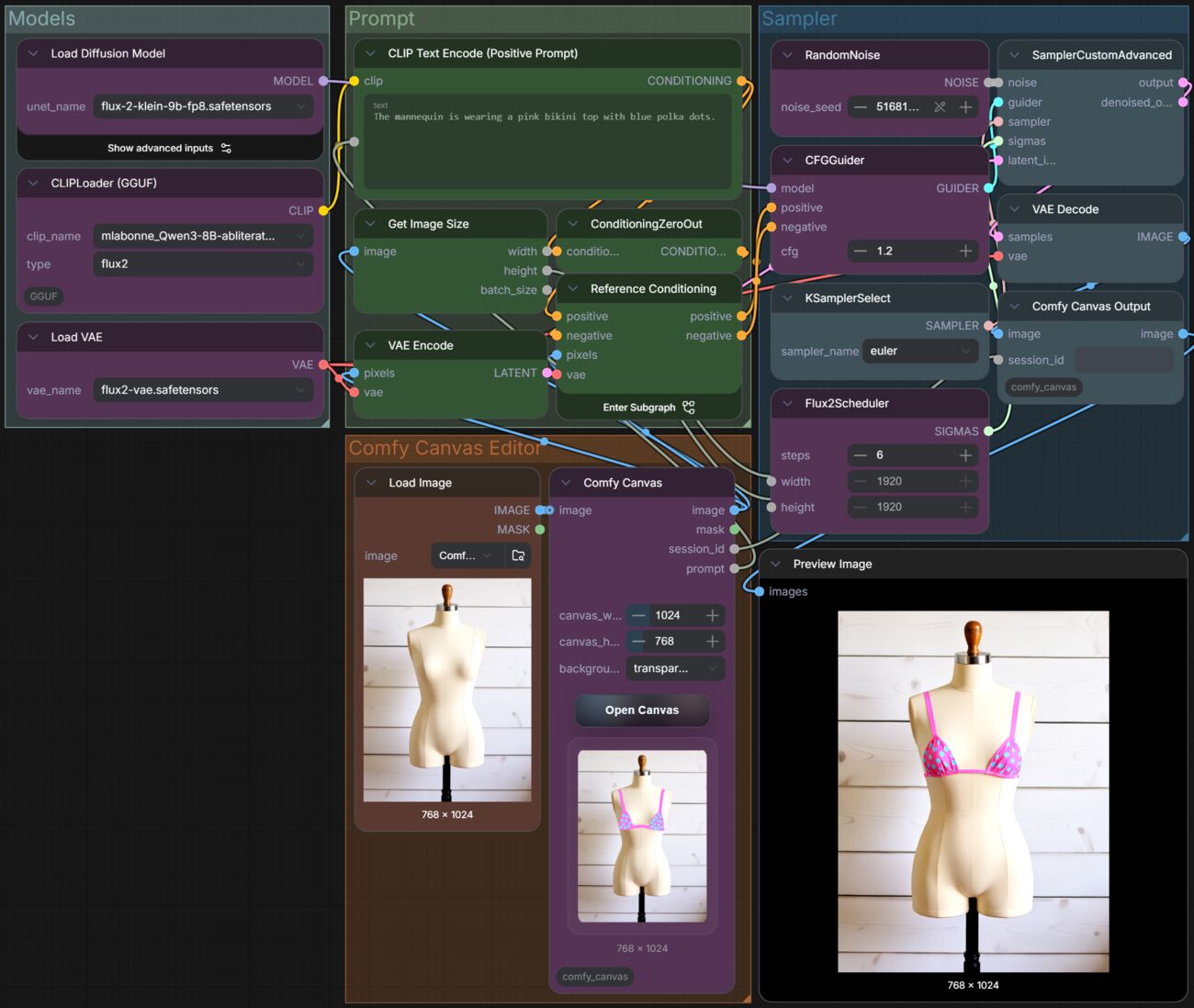
Comfy Canvas opens the editor as an in-app overlay and outputs IMAGE, MASK, session_id and prompt. Sessions stay attached to the node through session_id, so the layer stack survives a reload and a workflow re-run.
Comfy Canvas Output closes the loop: it pushes the latest generated result back into the same session as a new layer, so you can keep editing the result instead of exporting it and starting again.
What is in the editor
- Full editor overlay inside ComfyUI, not a detached tab
- Persistent layer stack with thumbnails, rename, duplicate, delete, opacity, blend modes and drag reorder
- Non-destructive per-layer masks, edited on thumbnails
- Brush, eraser, eyedropper, paint bucket, marquee and move/transform
- Prompt dock with prompt persistence and a run button
- Autosave during editing, final save on close
- Copy Output workflow, and direct download of the right-pane image
How it compares to the built-in MaskEditor
The MaskEditor is a step, not a workspace. It gives you a mask for the node in front of you and forgets it when the node runs. Comfy Canvas keeps a document: the layers persist, the masks stay per-layer, and the prompt stays where you left it. The practical difference shows up on the third revision, when the layer you liked still exists.
Specs
| Version | 1.0 (fully local) |
|---|---|
| Nodes | Comfy Canvas, Comfy Canvas Output |
| Licence | MIT |
| Runtime | Runs inside ComfyUI; no server process |
| Frontend | Self-contained, vendored PIXI, no CDN |
| GitHub | 184 stars, 12 forks |
Questions
Does Comfy Canvas need a separate server?
No. Since v1.0 it runs entirely inside the ComfyUI tab. Older builds needed a Flask server and a second browser tab; that is gone.
Does it work with any ComfyUI workflow?
Yes. The node sits in the graph like any other. Adding Comfy Canvas Output is optional and only controls whether the latest result is pushed back into the canvas.
Is the layer stack saved between sessions?
Yes. Sessions are keyed by session_id on the node, and layer data, prompts and editor state persist under ComfyUI user data. There is autosave during editing and a save on close.
Are the masks destructive?
No. Masks are per layer and non-destructive, and they are edited on layer thumbnails rather than by painting over the image.
What does it cost?
Nothing. MIT licence, source on GitHub.
Problem
ComfyUI generates fast and iterates slow. Repaint a hand and you export the image, open a paint app, re-import it, re-run. Every version you liked comes back flattened — the layer you actually wanted is gone.
What I did
Put the editor inside the tab. Two nodes, sessions bound to the node, a real layer stack, non-destructive per-layer masks, brush, bucket, marquee, blend modes, and a prompt dock that remembers what you typed. Output pushes back in as a new layer.
What happened
v1.0 went fully local — no Flask server, no second browser tab, no split workflow. It is in other people's pipelines now, and they file issues about it.